



What’s New in IBM Planning Analytics Workspace 2.0.107? Key Enhancements and New Features

4 min.
In September 2025, IBM released Planning Analytics Workspace 2.0.107, introducing a range of enhancements designed to improve the day-to-day experience of working with the platform.
Alongside several practical user interface improvements, the release introduces two capabilities that significantly expand the functionality of the planning module: Data Accountability and workflow automation powered by TurboIntegrator processes.
Let’s take a closer look at the key enhancements in this release and explore how they improve the experience for both administrators and business users.
Spis treści
Plans & Applications: The Key Enhancements in This Release
The most significant enhancements in this release are found in the Plans & Applications module. This is where IBM introduced capabilities that go beyond improving day-to-day usability and have a tangible impact on how planning processes are managed.
Data Accountability: Clear Ownership of Data
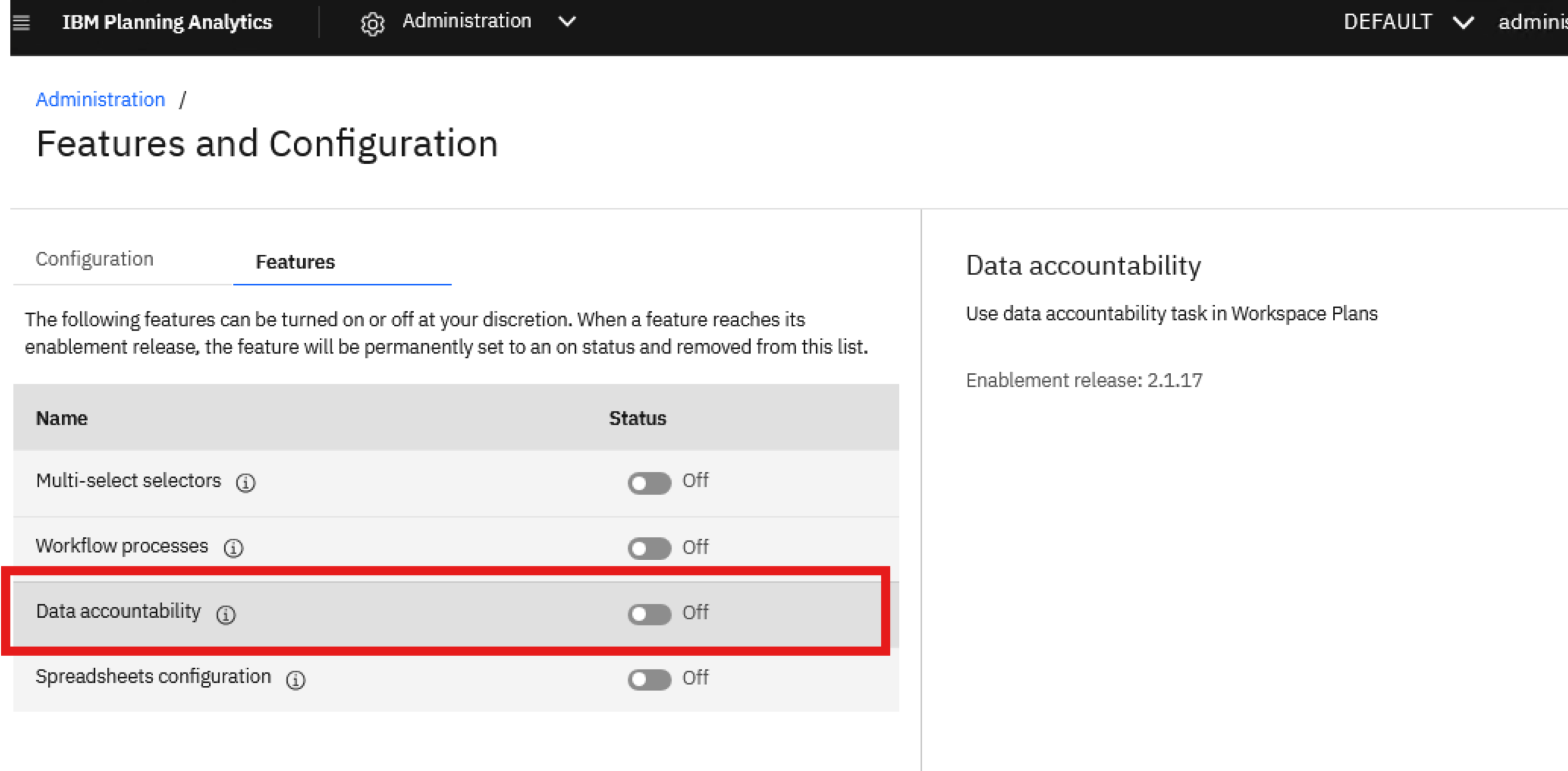
The Data Accountability feature allows organizations to assign ownership of specific data sets to individual users or user groups.
Each TM1 hierarchy element can be assigned one of the following statuses:
- Available
- Reserved
- In Progress
- Pending
- Complete
When the status of an element changes, the status of its related parent and child elements is updated automatically.
This gives planning process owners real-time visibility into overall progress and makes it easy to identify areas that require attention—without the need to manually track responsibilities across individual contributors.
The feature is available after being enabled under: Administration → Features → Enablement Release 2.1.17
Workflow Automation Powered by TurboIntegrator Processes
The second major enhancement is the ability to automatically trigger TurboIntegrator processes in response to actions performed by users within a plan.
Processes can be triggered when users:
- activate or deactivate a task,
- claim ownership of a task as a contributor,
- submit data for approval,
- approve changes as a reviewer,
- reject changes as a reviewer.
Each process execution receives the full event context, including the Plan ID, Task ID, and the Data Accountability element associated with the event.
Importantly, the process runs using the permissions of the user who initiated the action, ensuring that the automation fully respects the platform’s existing security model.
Like Data Accountability, this feature is enabled under: Administration → Features → Enablement Release 2.1.17
Books & Reporting: Enhancements for Everyday Productivity
Within the Books & Reporting module, IBM focused primarily on reducing repetitive tasks performed by administrators and business users, making everyday work with the platform more efficient.
Bulk Permission Management
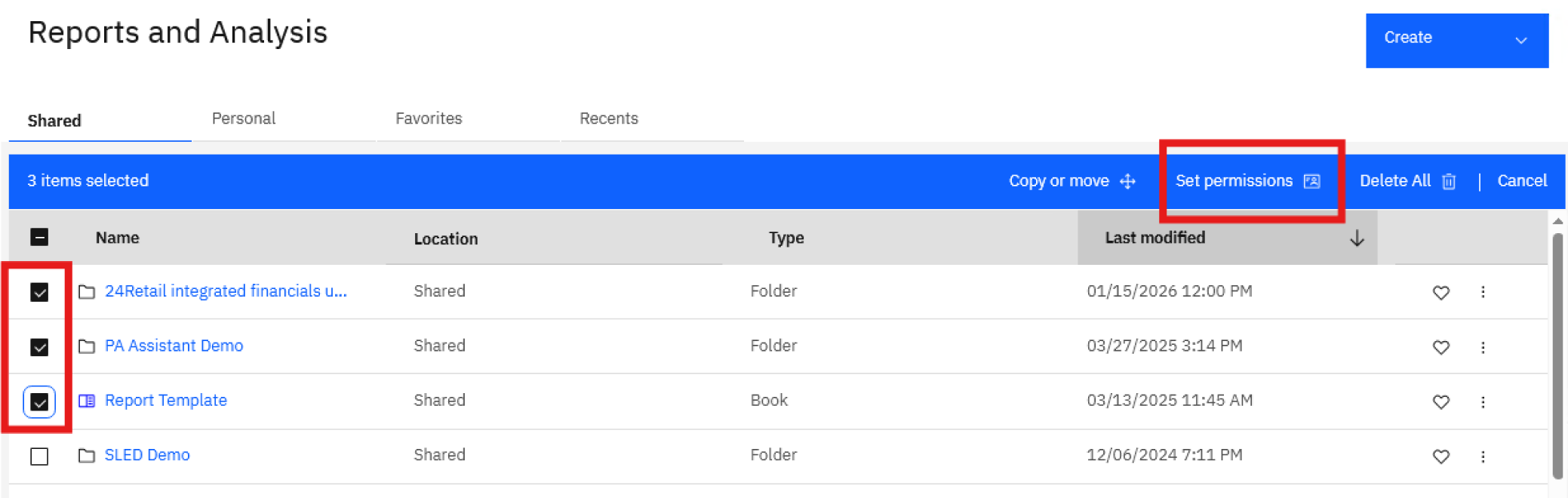
One of the most practical enhancements in this release is the ability to assign permissions to multiple objects simultaneously.
Within the Reports & Analysis and Data & Models sections, administrators can now select multiple folders, books, or other assets and assign access permissions to all of them with a single action.
While seemingly a small improvement, it can save a significant amount of time in larger environments by eliminating the need to configure permissions for each object individually.
Greater Control Over Process Notifications
IBM has also enhanced the way TurboIntegrator process statuses are presented when processes are triggered via action buttons.
In previous versions, a process ending with the Quit status was displayed to the user as a successful execution, even though this did not always reflect the actual outcome of the operation.
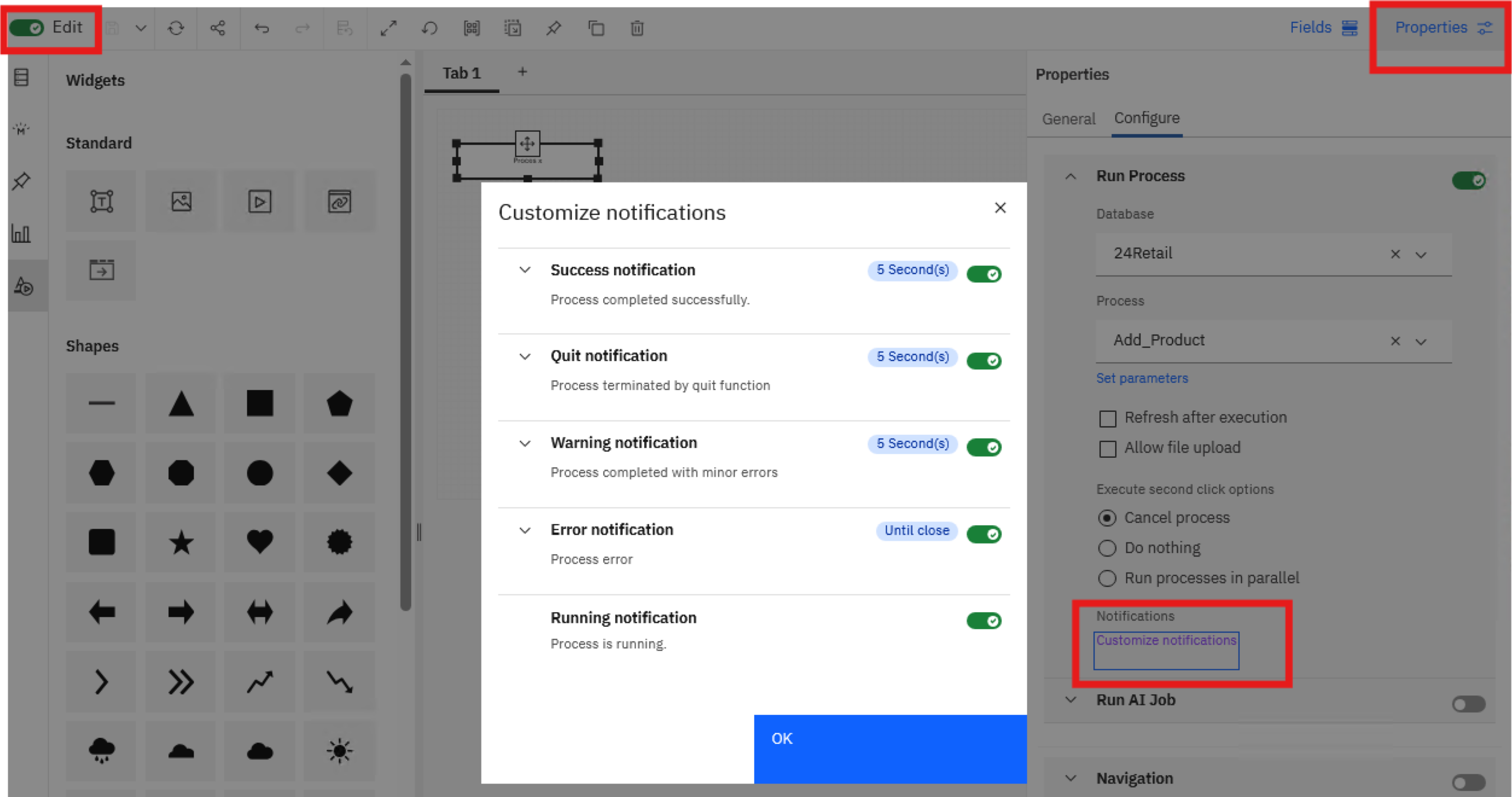
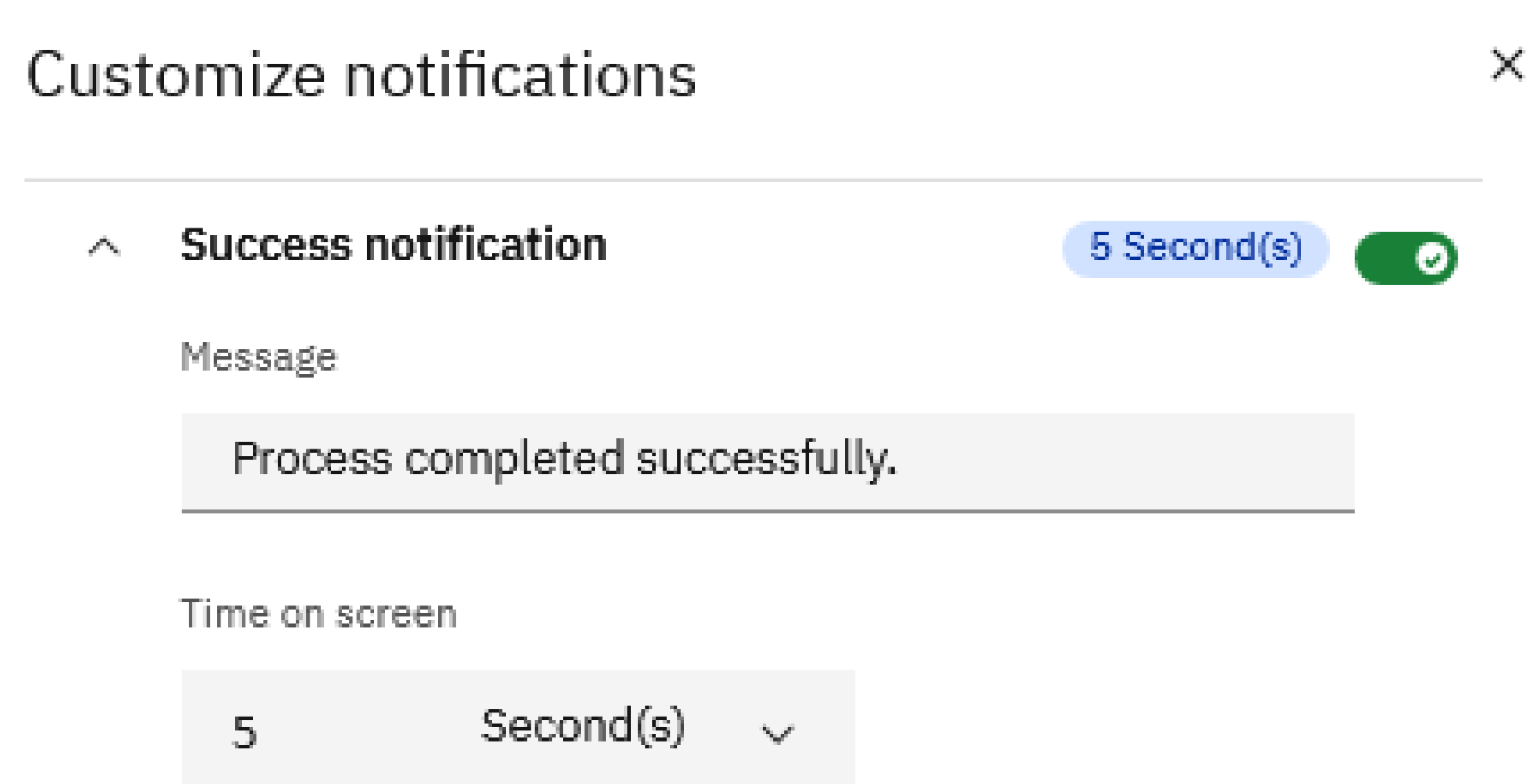
It is now possible to configure separate notifications for each process status:
- Success
- Quit
- Warning
- Error
- Running
You can also define how long each notification remains visible. As a result, users can immediately see whether a process completed successfully, requires attention, or was interrupted.
The remaining enhancements are less visible, but they make everyday work with the platform more efficient. IBM has optimized navigation across the Reports, Data & Models, and Plans sections, making it noticeably smoother to work in large and complex environments.
Another practical improvement is the increase in the hierarchy member copy limit from 120 to 4,000 elements. For users working with large dimensions, this eliminates the need to split bulk copy operations into multiple smaller steps.
Modeling: Improved Productivity for Administrators and Developers
The enhancements in the Modeling module are primarily focused on improving the experience of working with TurboIntegrator processes and hierarchies.
Process Logs at Your Fingertips
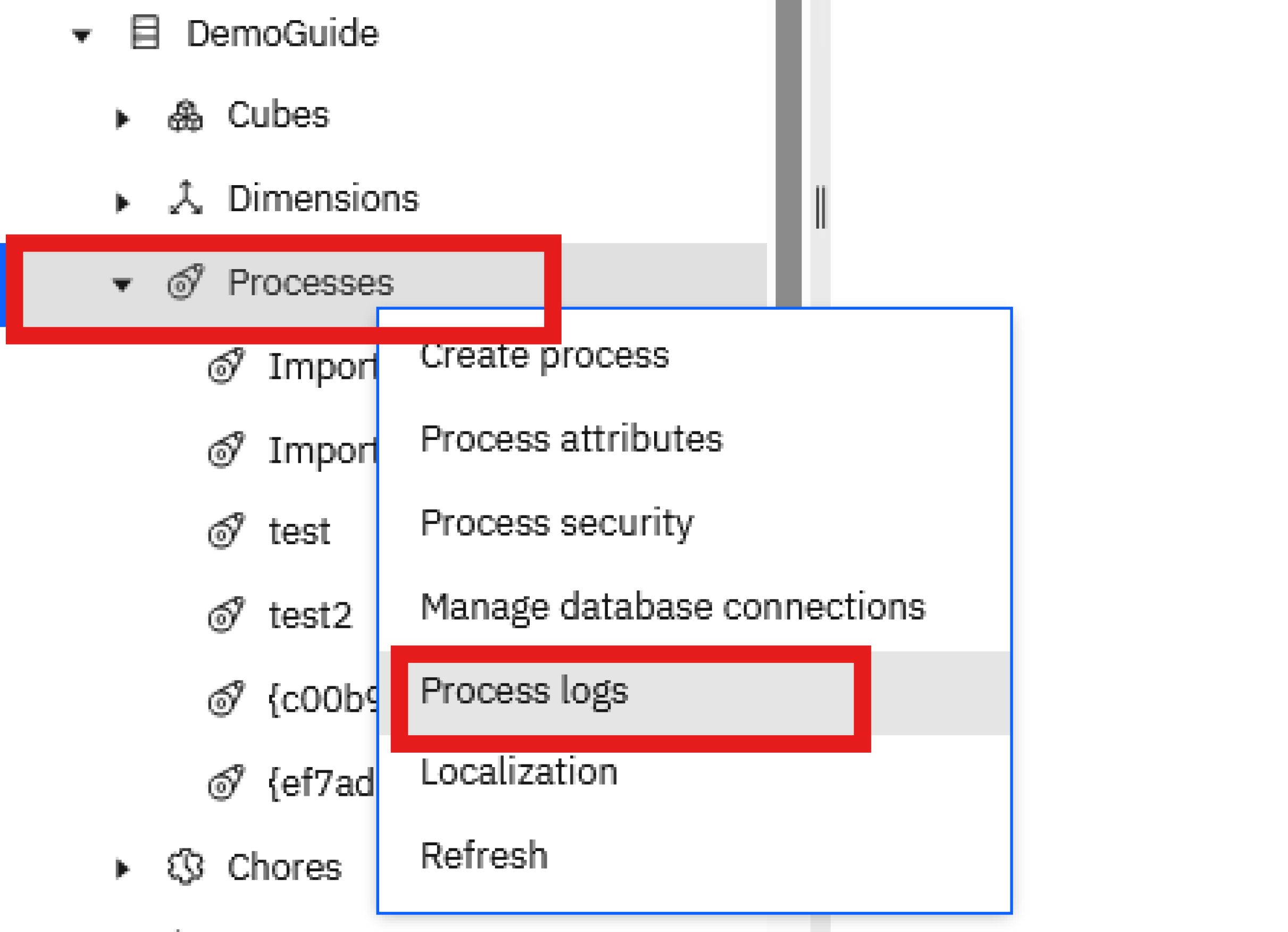
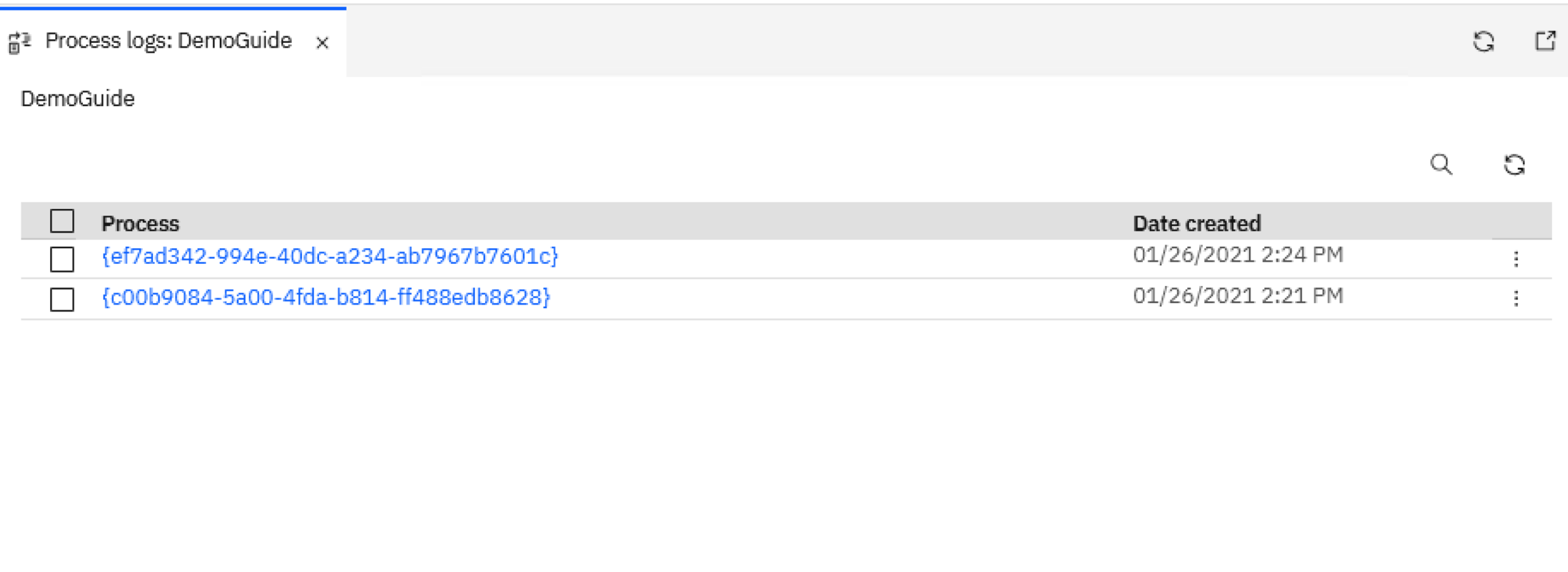
Process logs can now be opened as separate tabs in Workbench, instead of being displayed in a modal window.
This allows administrators to monitor multiple processes simultaneously and view their logs in real time while processes are running or being edited.
For administrators, this means more convenient troubleshooting and faster identification of potential issues.
"Expand All" No Longer Reveals Hidden Elements
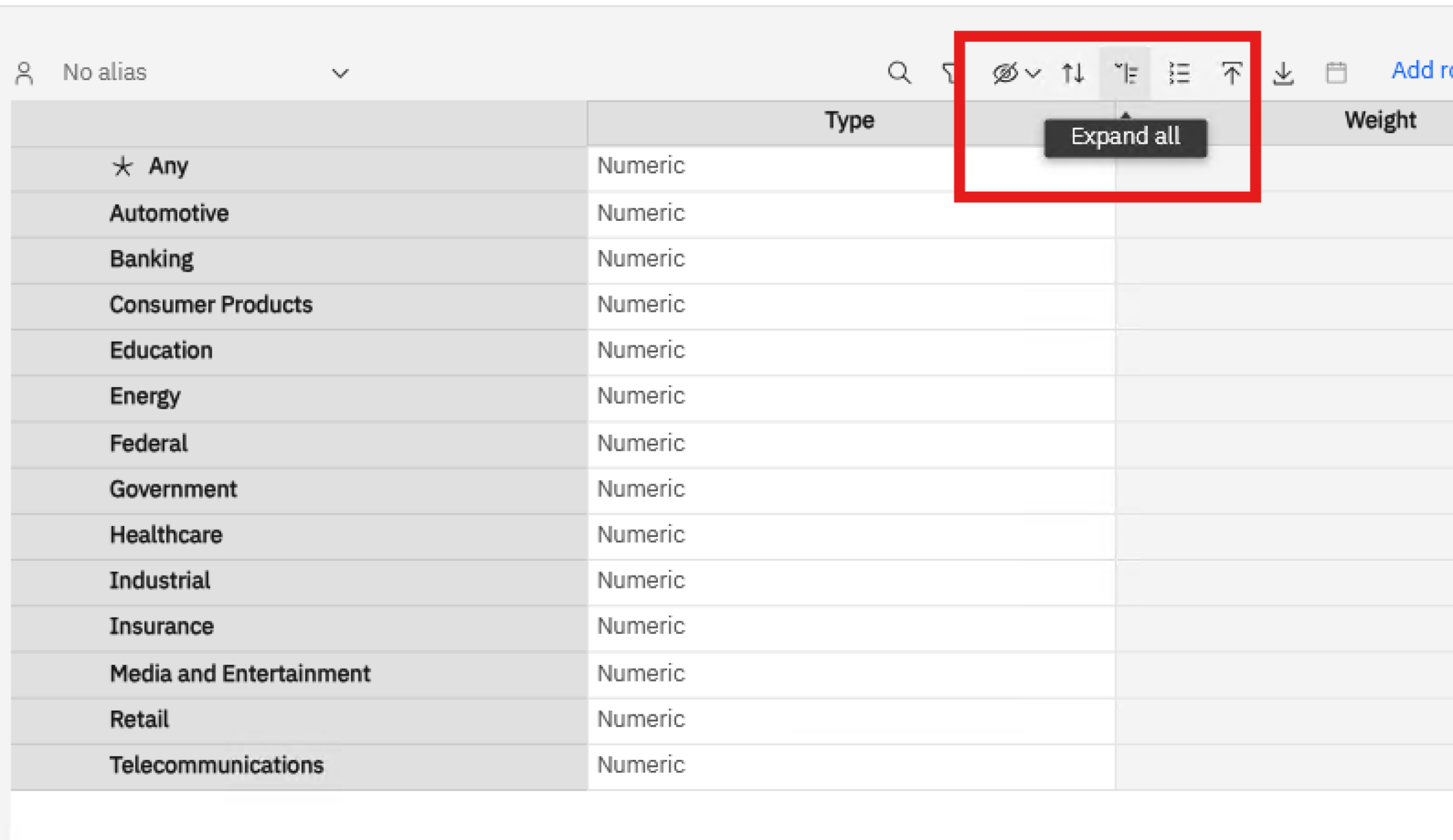
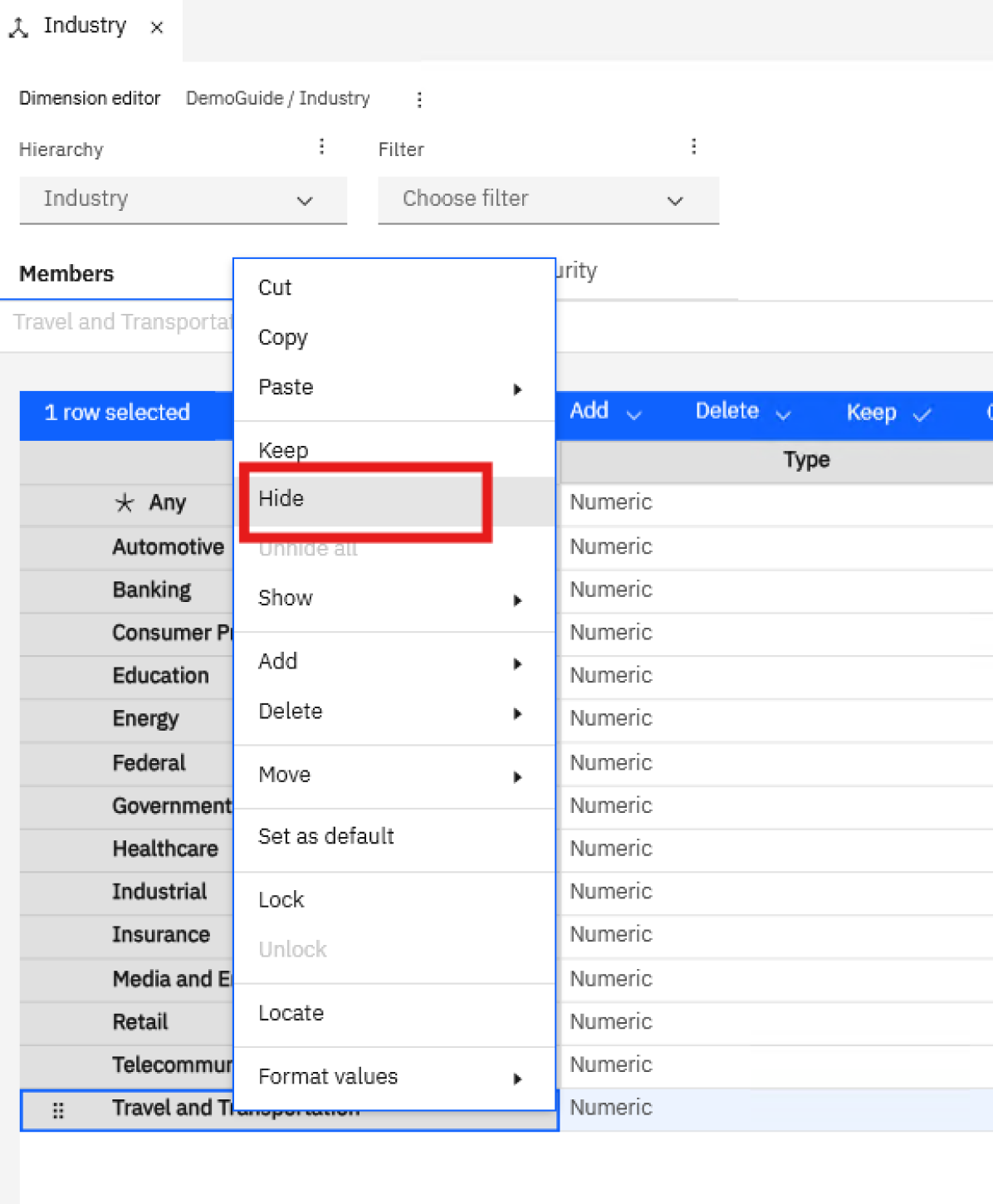
A small but welcome improvement has been made to working with hierarchies. The Expand All function no longer reveals elements that were previously hidden using the Keep or Hide options.
As a result, the configured view remains intact, eliminating the need to repeatedly hide the same elements after expanding the hierarchy.
What Does Planning Analytics Workspace 2.0.107 Bring?
Planning Analytics Workspace 2.0.107 does not fundamentally change the way the platform works, but it introduces a range of enhancements that make day-to-day work more efficient for both administrators and business users.
The most significant additions are Data Accountability and workflow automation powered by TurboIntegrator processes. Together, these capabilities provide greater visibility into data ownership and better connect user actions with the different stages of the planning process.
The remaining enhancements reduce repetitive tasks, simplify troubleshooting, and improve the management of large Planning Analytics environments. Collectively, they highlight IBM’s direction for the platform: greater automation, more transparent planning processes, and a more productive user experience.
Blog
Read more from this category

KONTAKT
Porozmawiajmy o Twoim projekcie
Skontaktuj się z nami za pomocą tego formularza, maila lub telefonu. Odpowiemy na Twoje pytania, omówimy najważniejsze wyzwania i zaproponujemy wstępne rozwiązania dopasowane do Twoich potrzeb.